6
222/2C Makola North, Makola 11640, Sri Lanka +94 710 993 555 94710993555 teliaudit@gmail.com
Back to Questions

How to appoint a tax agent through my IRD RAMIS portal

Guidelines on how to appoint a tax agent through the IRD RAMIS portal to represent a taxpayer

Asked on Feb 10, 2026 07:02

Answers

Feb 10, 2026 07:06


Tax Agent Name: D. R. K. Dissanayake

TIN: 101966550


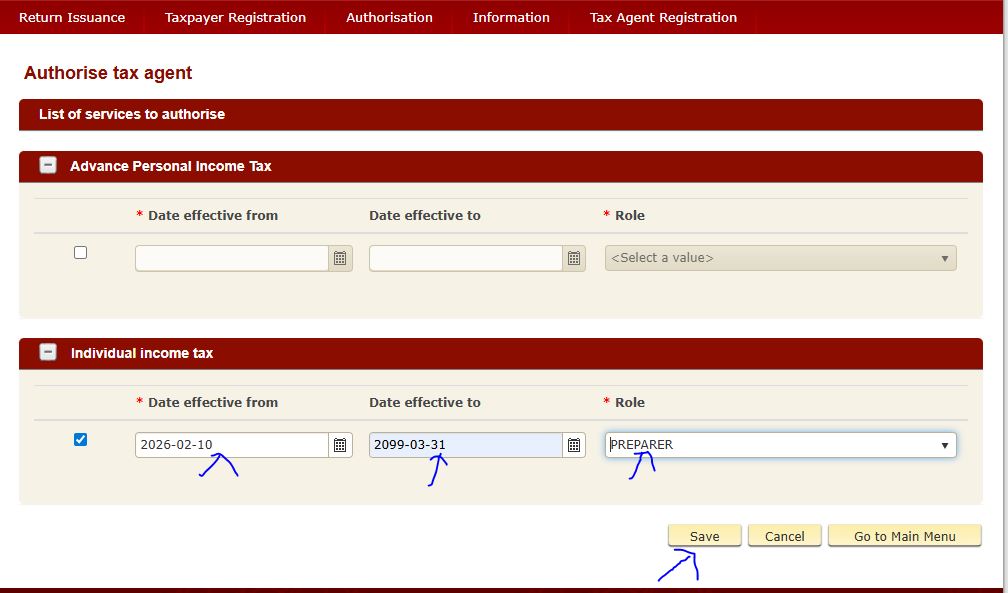
Please follow the steps below to appoint TeliAudit as your tax agent
(D. R. K. Dissanayake).


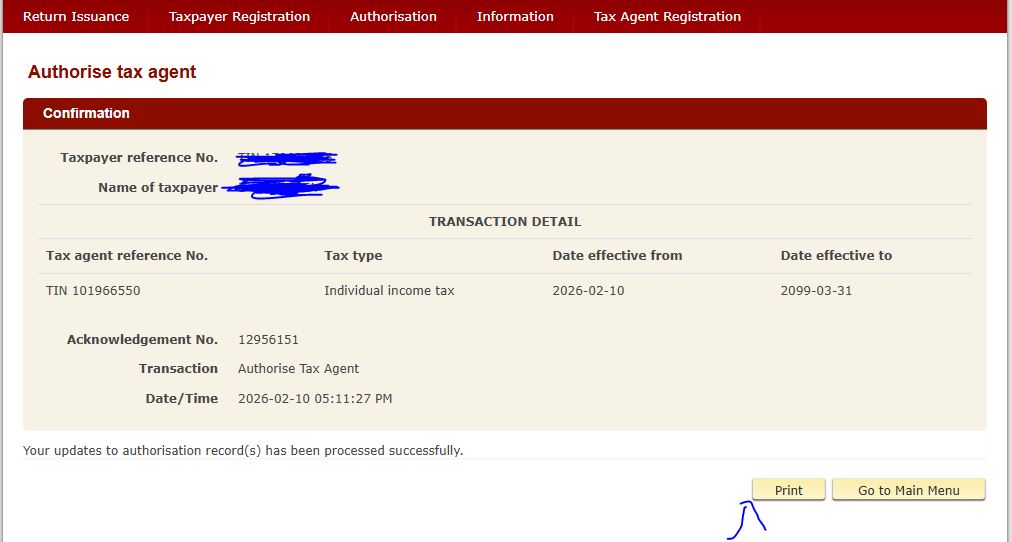
Please send the PDF generated in the final step to TeliAudit.


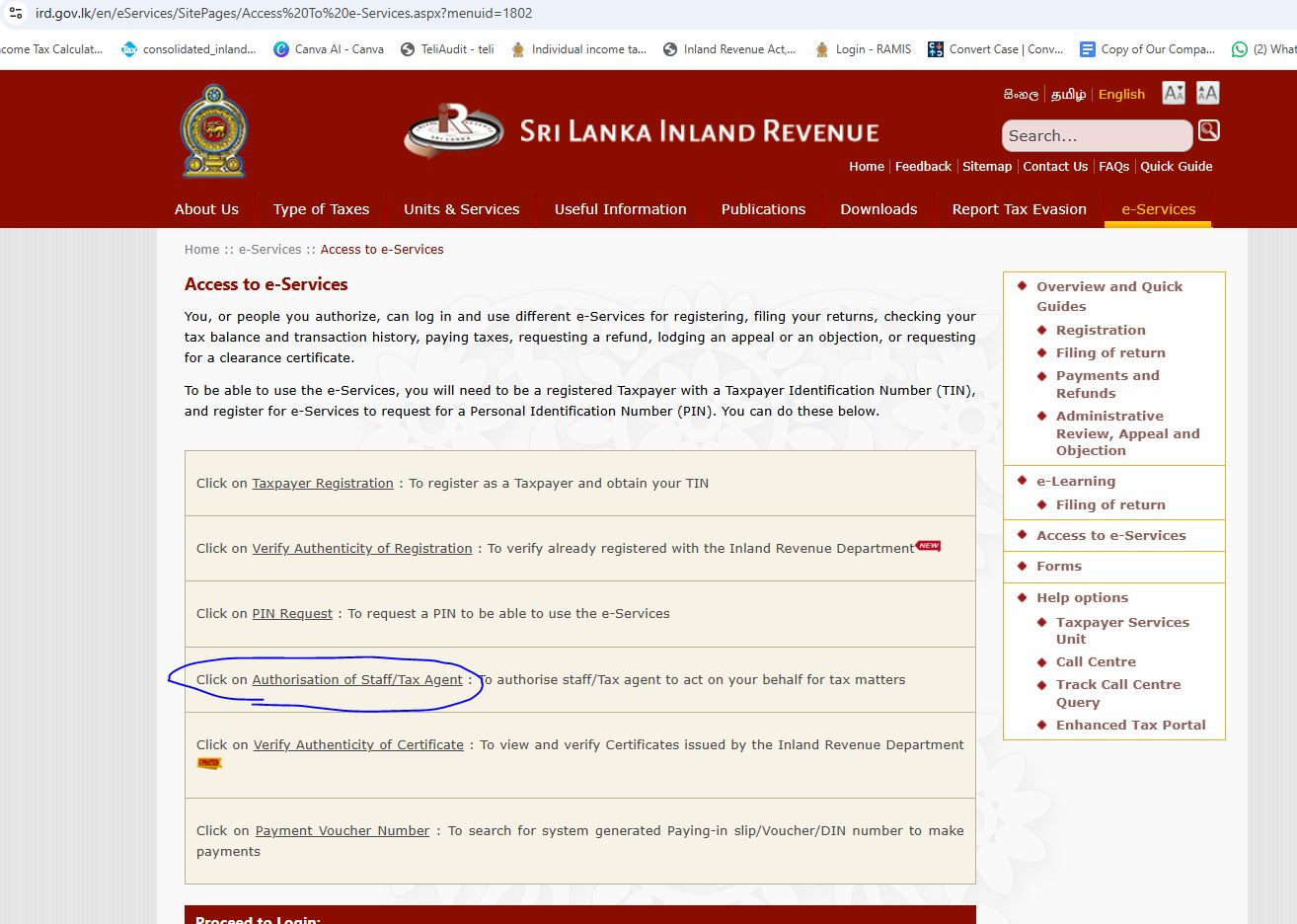
Step 01


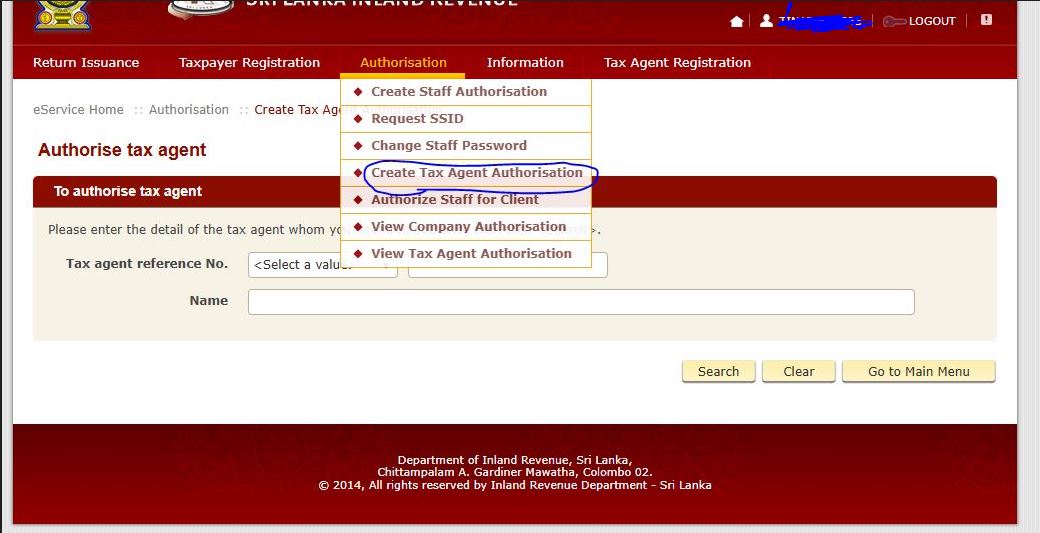
Step 02

Log in to the IRD e-Services portal using your credentials.


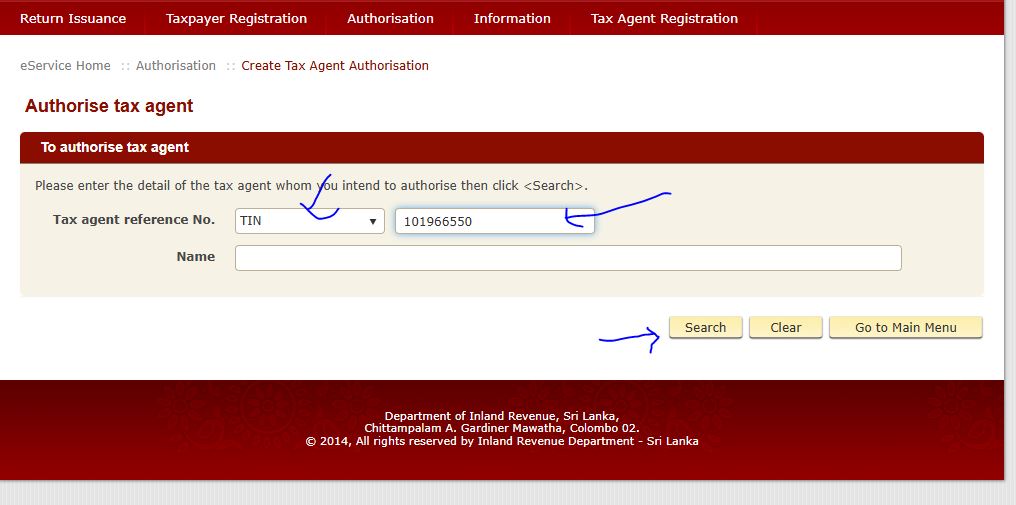
Step 03

Enter the Tax Agent details as follows:

Tax Agent TIN: 101966550


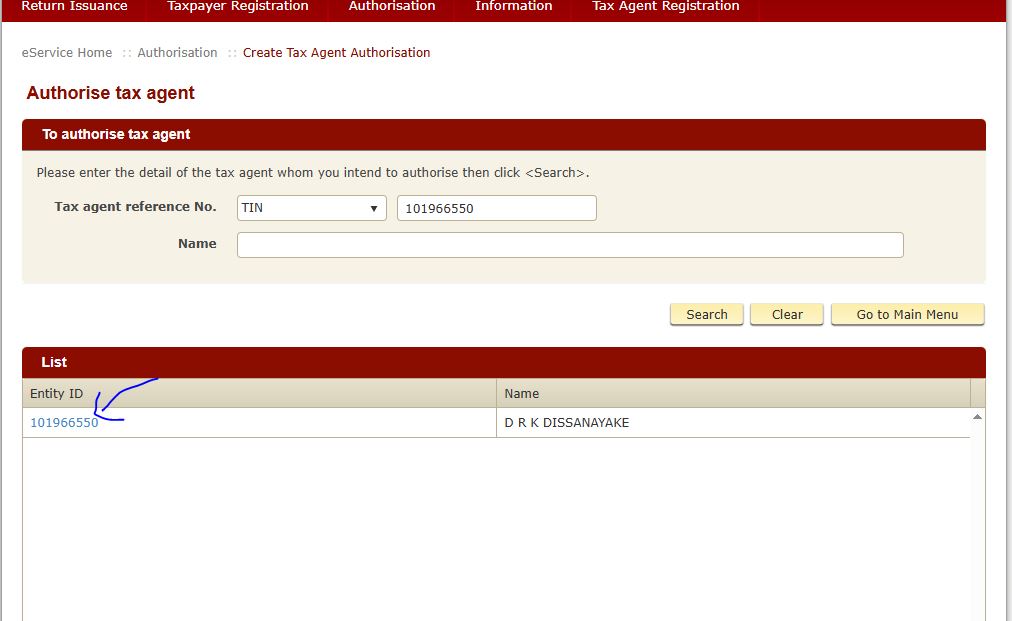
Step 04

Confirm the appointment details before proceeding.


Step 05

Submit the request to appoint the tax agent.


Step 06

Download the confirmation PDF generated by the system.


Please send the PDF of the final step to TeliAudit.