6
222/2C Makola North, Makola 11640, Sri Lanka
+94 710 993 555
94710993555
teliaudit@gmail.com
TeliAudit
Home
Pricing
Price list
Personal Tax File - local
Personal Tax File - (local + foreign)
Independent service provider ( freelancers )
Senior Citizen Tax File - (local + foreign)
Sole Proprietor Tax File
Partnership Tax File
Company Tax File
Software - Accounting and bookkeeping + Tax
Articles
Withholding tax (WHT) refund (2024/25)
TIN register
New VAT Tax Invoice Format
Voluntary Retirement Scheme (VRS) and Taxation
Obtaining a direction on gratuity payment
Foreign Currency Tax Rules – 2025/26
Non-Resident Income Tax Rules – 2025/26
Freelancer & Contractor Tax 2025/26
Tax flow foreign independent service provider
VAT computation and return submission
Leaflet
Bookkeeping software for small businesses
Teliaudit System Features: Complete Business Guide
Webinar - dijital team session 1
Webinar - dijital team session 2
Webinar - swivelgroup
Webinar - Uber Sri Lanka
Tax Calculator
Tax Calculator 23/24
Tax Calculator 24/25
Tax Calculator 25/26
Details Request
Tax details request 2025/2026
Contact
About Us
Ask
Back to Questions
Search
how to inactive my IIT
how to inactive my IIT Tax type via online
Asked on Aug 07, 2026 01:58
Reply to Question
Answers
admin
Aug 07, 2026 01:59
How to Submit IIT Inactive Request on IRD
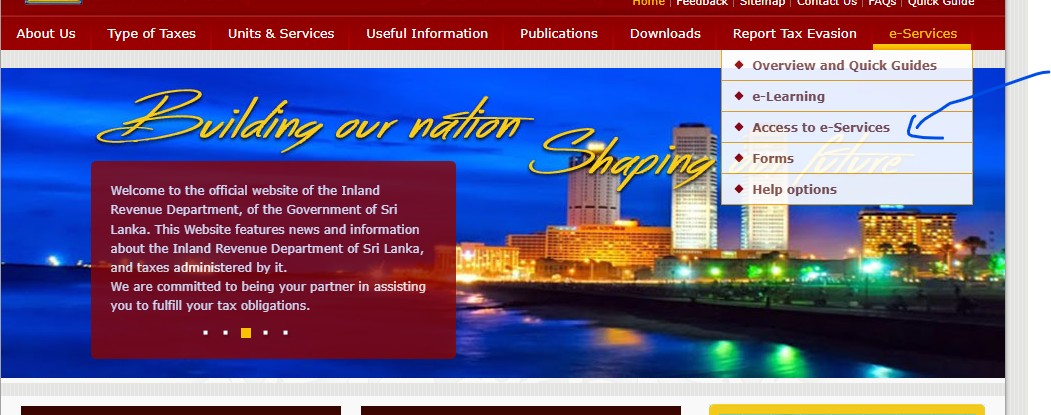
Step 01
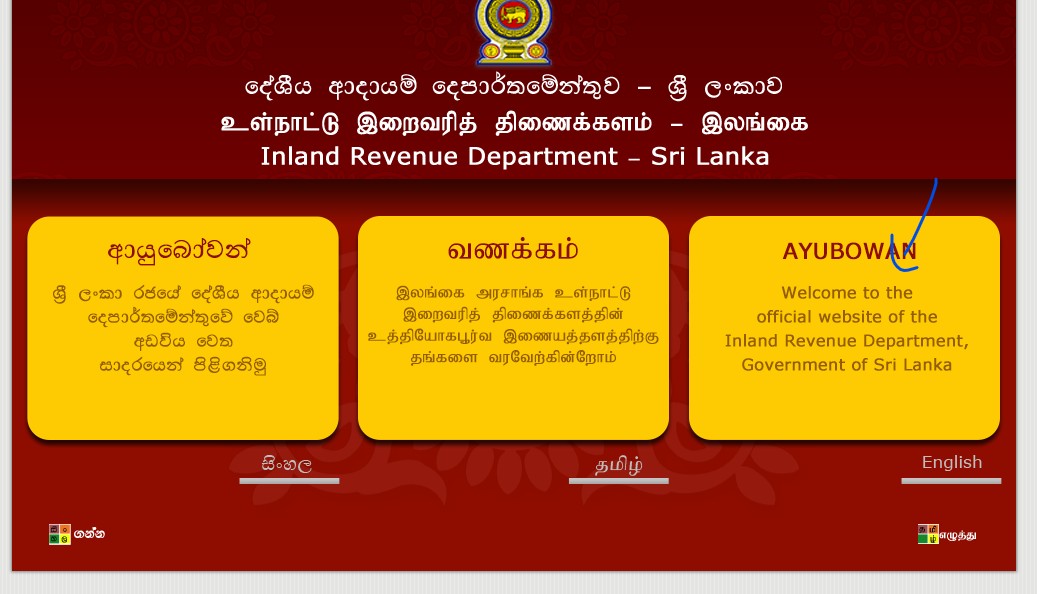
Visit to
https://www.ird.gov.lk/
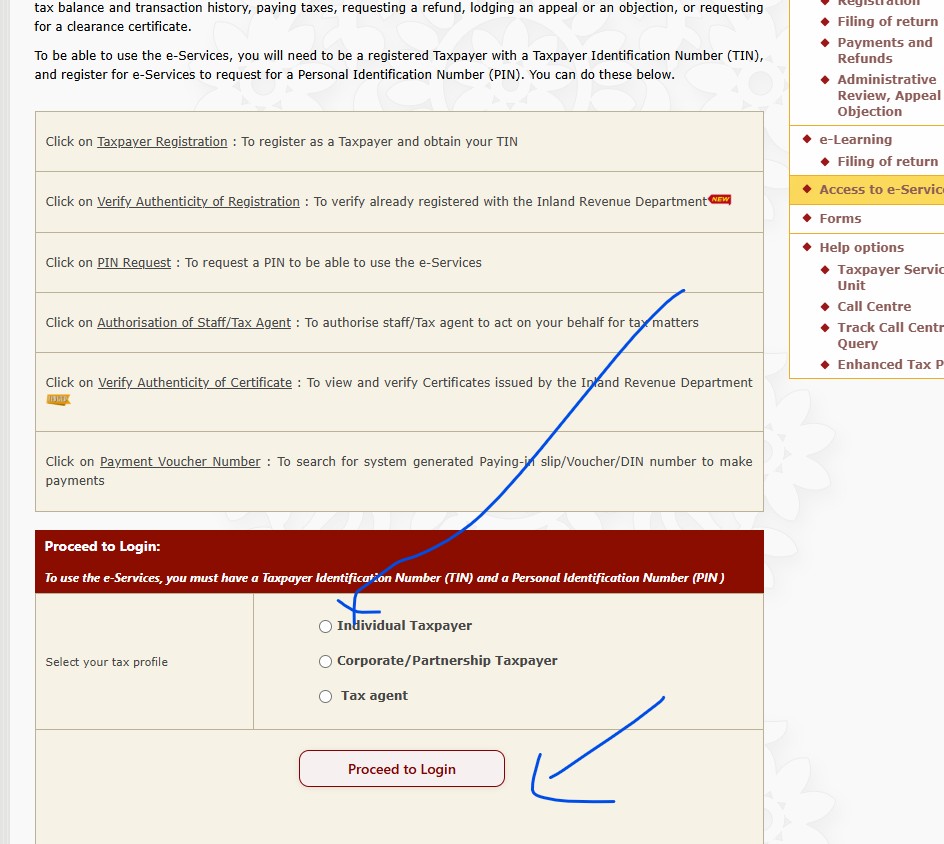
Step 02
Step 03
Login
Step 04
Login form fill and login button click
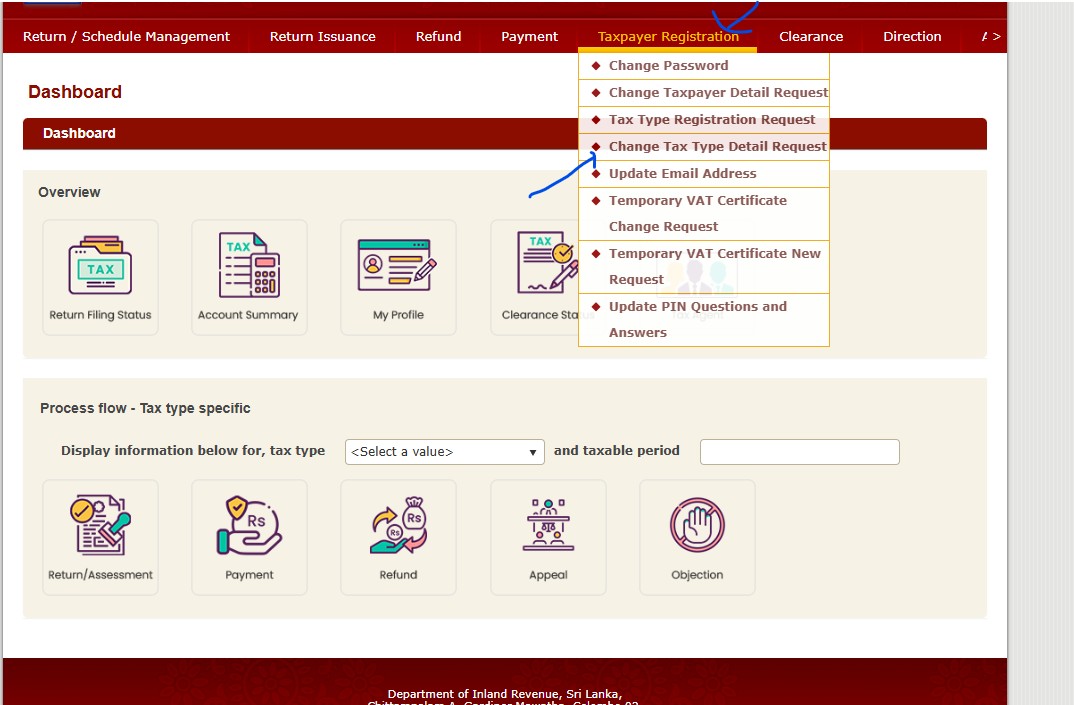
Step 05
Go to change tax type
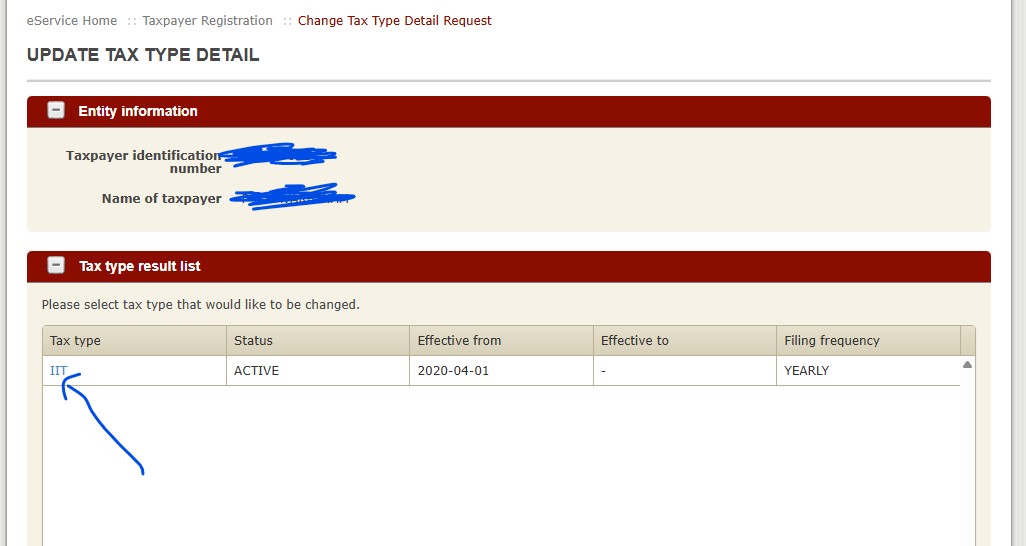
Step 06
Click on IIT
Step 07
Select inactive and date then save
Step 08
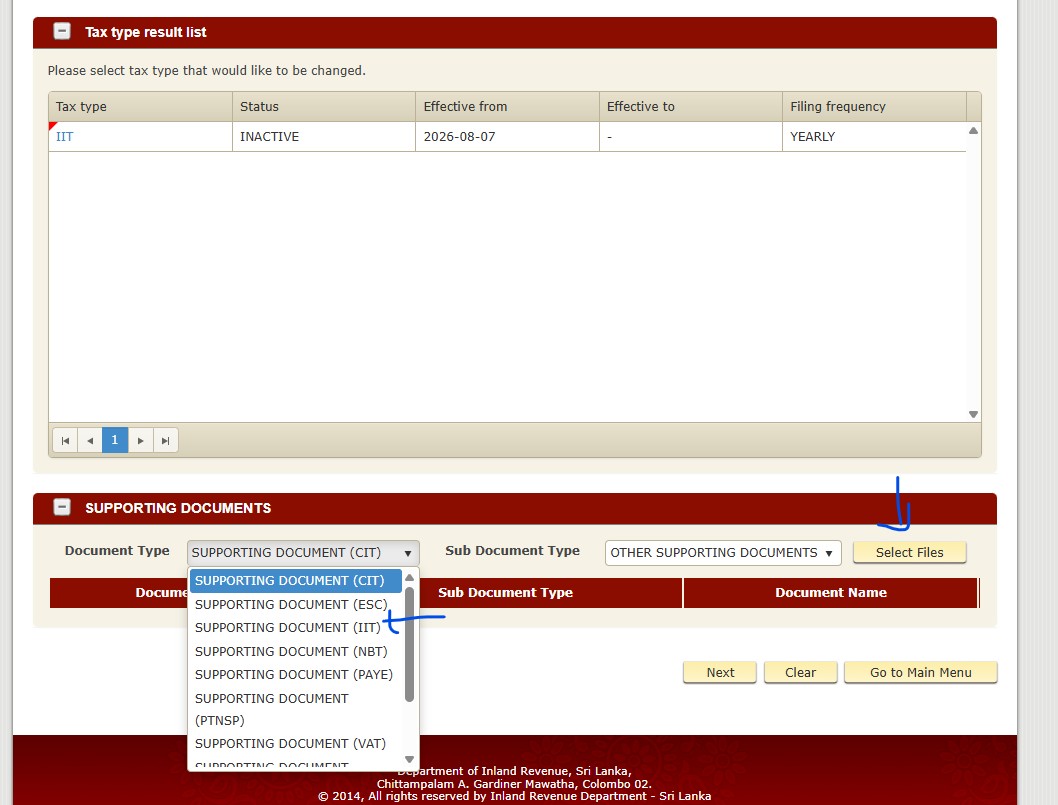
Scroll down and select Supporting document for IIT, then select your file that you need to upload
Request letter
Proof docs
Step 09
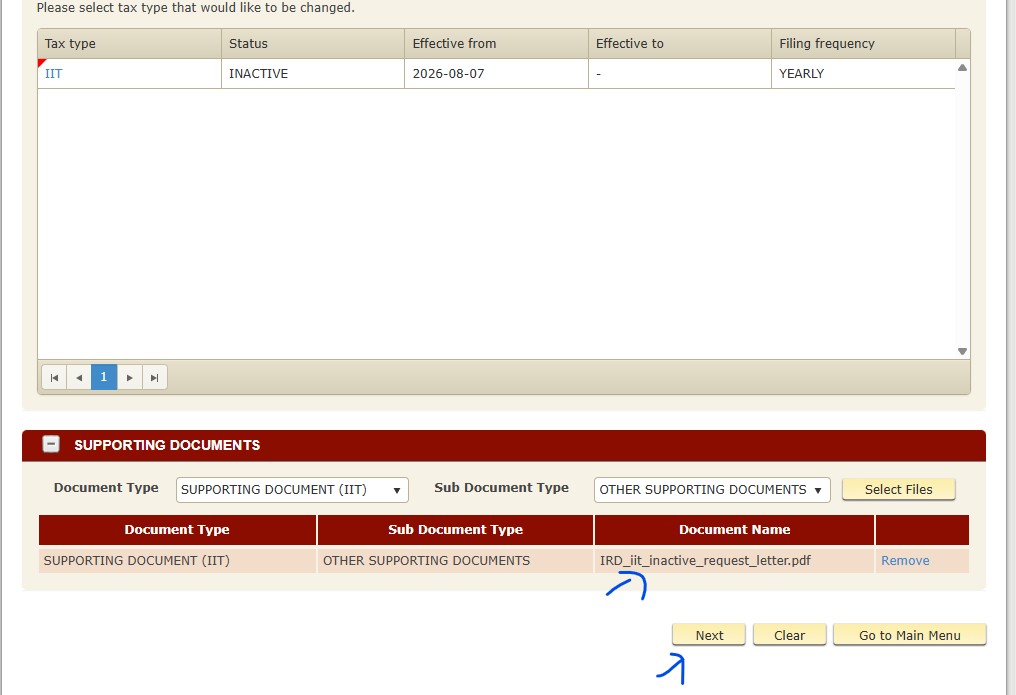
You can see uploaded document list and click next
Step 10
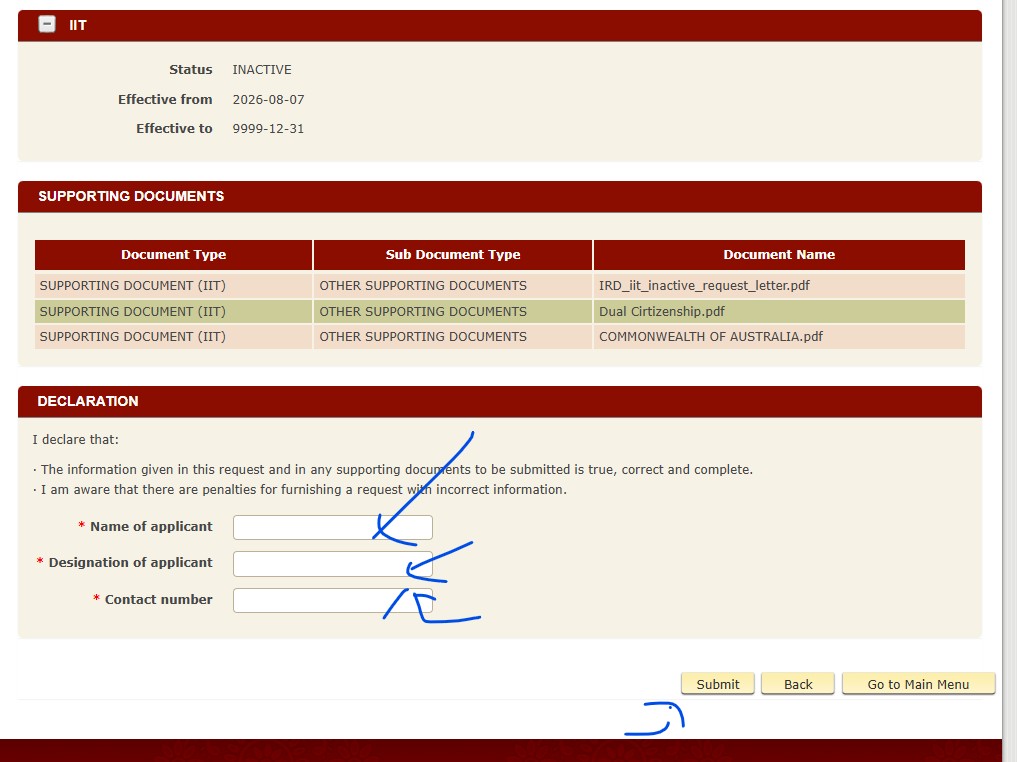
Add your details as screenshot and then submit
If you get following error, please change your effective date as per the error message.
Step 11
If you still can't submit, remember to take a screenshot and provide them to IRD as proof of online IIT inactive request
Step 12
Please save UPDATE TAX TYPE DETAIL ACKNOWLEDGEMENT as PDF as proof
Reply
Submit Your Reply