TeLiAsk - Community Questions - Tax Sri Lanka

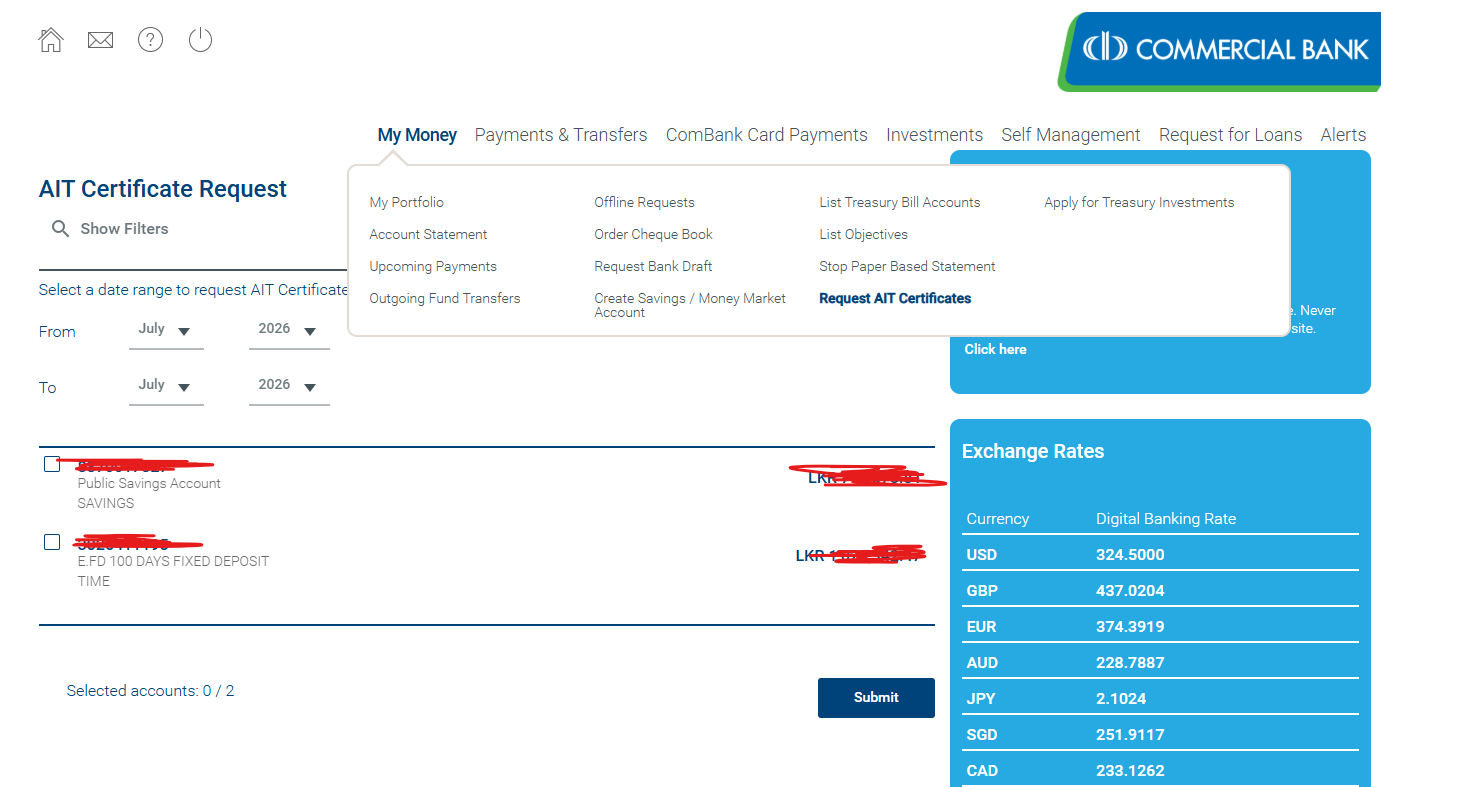
how to downlaod AIT - commercial bank
How get commercial bank AIT online
admin Asked on Sep 14, 2026 05:03admin Sep 14, 2026 05:06
 Link to this reply
 admin Sep 05, 2026 04:40
1. Visit to - https://eservices.ird.gov.lk/Authentication/LoginForCompany
2. Log to system
Find system loaded WHT
How to Find IRD system loaded WHT, auto load bank list
admin Asked on Aug 28, 2026 11:47admin Aug 28, 2026 11:57
How to Check Interest Income and WHT Details in the IRD System
Please follow the steps below:
1. Log in to the IRD system.
2. Select Return / Schedule Management.
3. Select Individual Income Tax (IIT) from the submenu.
4. Tick Year of Assessment (2025/26).
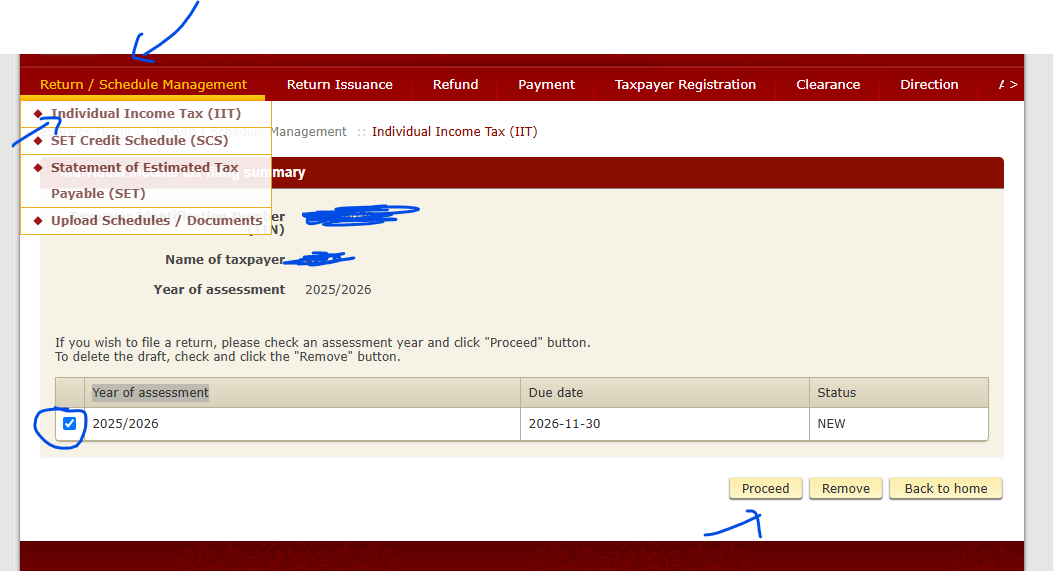
5. Click the Proceed button.
6. Tick the 4th option:
Interest Income (AIT deducted by Bank & Finance Institutions)
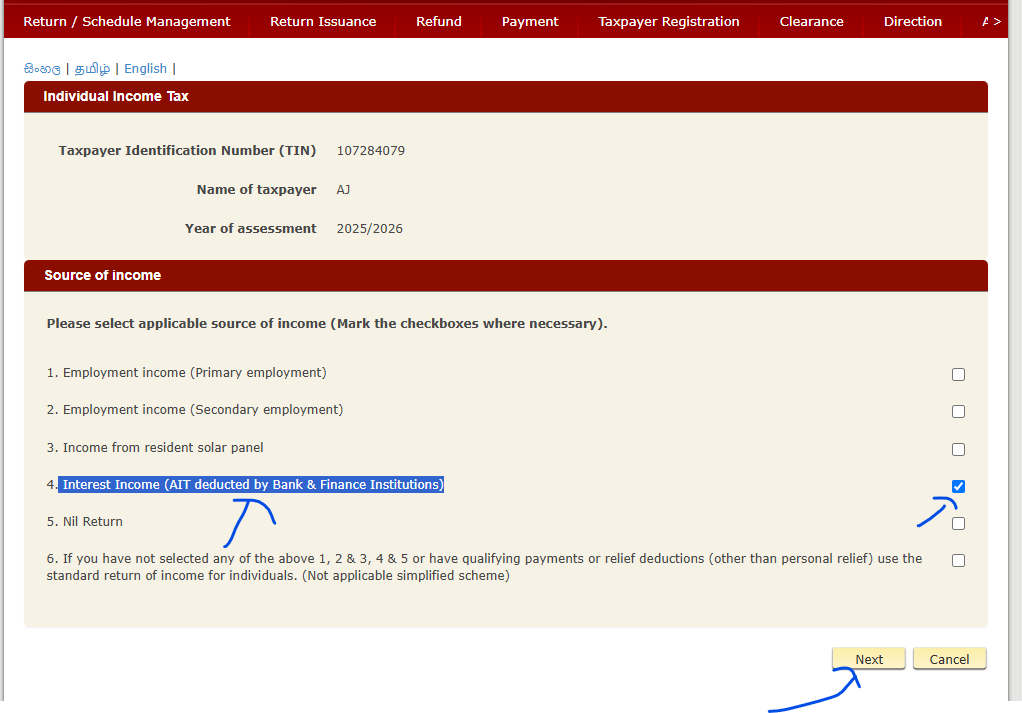
7. Scroll down and locate the Interest Income section.
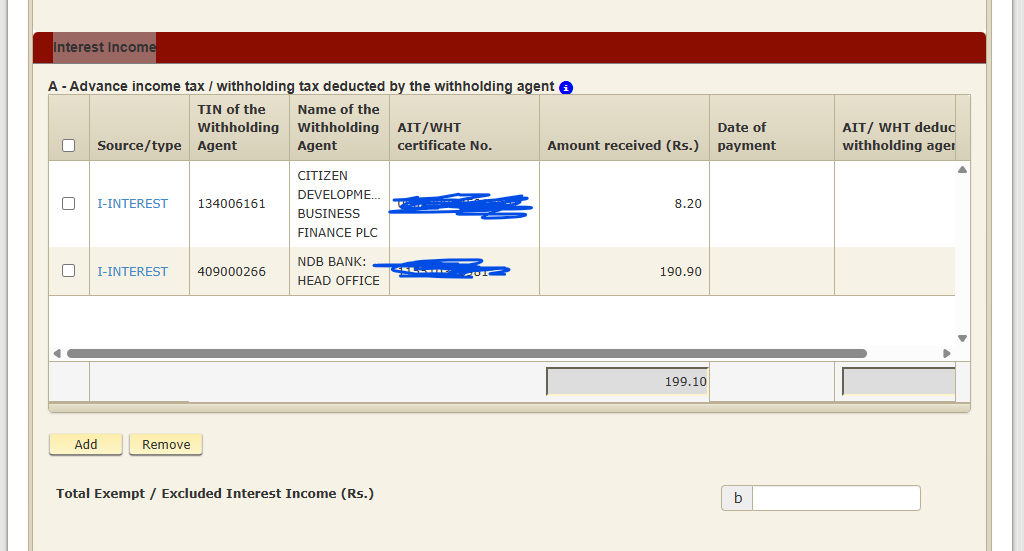
8. Collect the WHT certificate/form from the relevant bank.
Important:
Please check that the interest income and WHT/AIT amounts shown in the IRD system match the details provided by the relevant bank.
Bank balace check in commercial bank
How to check Bank balace check in commercial bank
admin Asked on Aug 20, 2026 02:35admin Aug 20, 2026 02:36
1. Download epassbook app to your mobile
https://www.combank.lk/services/epassbook
2. Scroll down untill 31st March
3. Click on (Touch on) red arrow