6
222/2C Makola North, Makola 11640, Sri Lanka +94 710 993 555 94710993555 teliaudit@gmail.com

TeLiAsk - Community Questions - Tax Sri Lanka


how to inactive my IIT Tax type via online

admin Asked on Aug 07, 2026 01:58
IIT inactive

admin Aug 07, 2026 01:59


How to Submit IIT Inactive Request on IRD


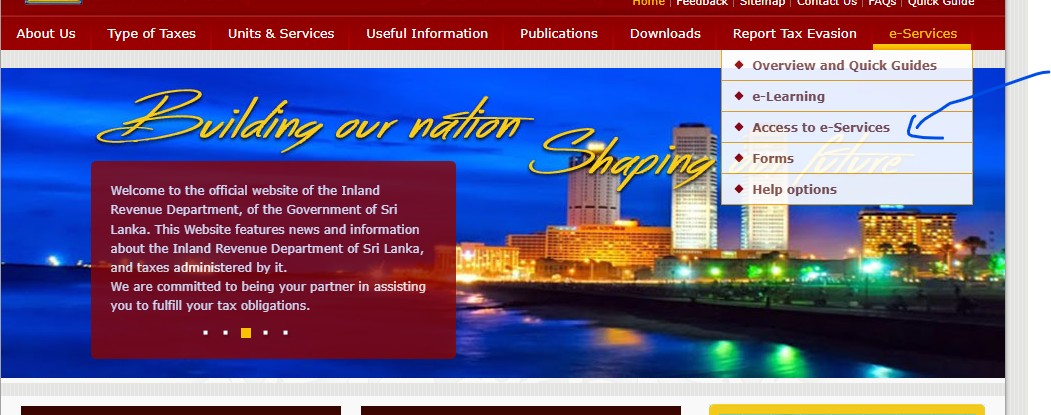
Step 01


Step 01


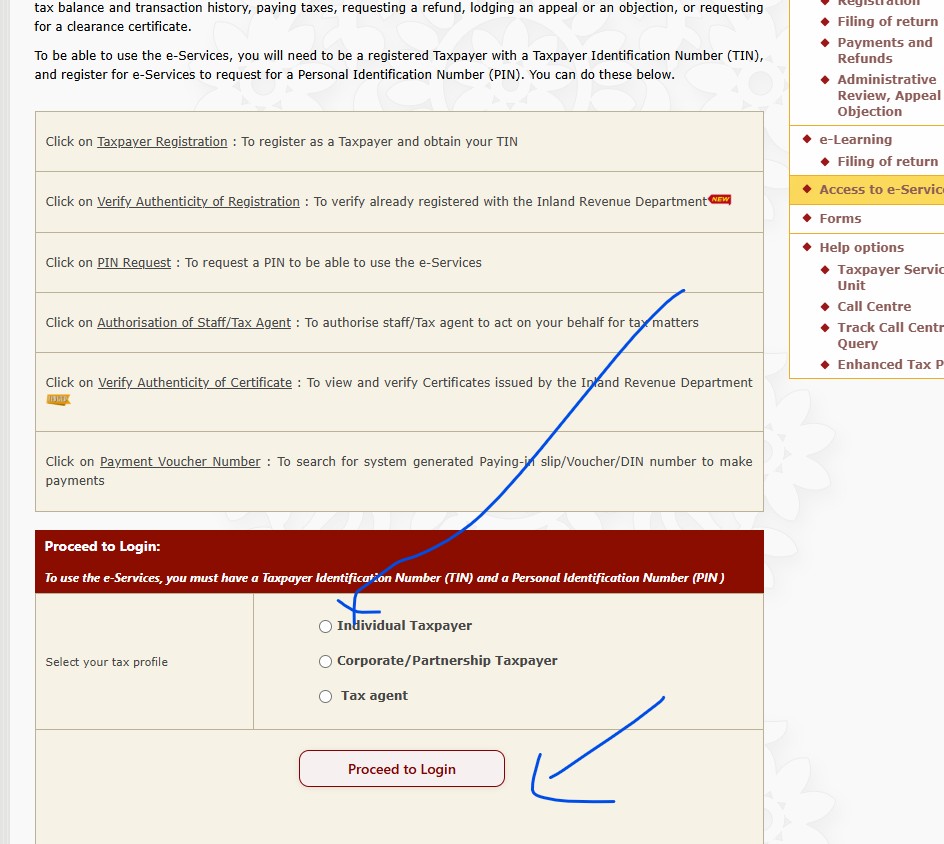
Step 02


Step 02


Step 03


Login

Step 03


Step 04


Login form fill and login button click

Step 04


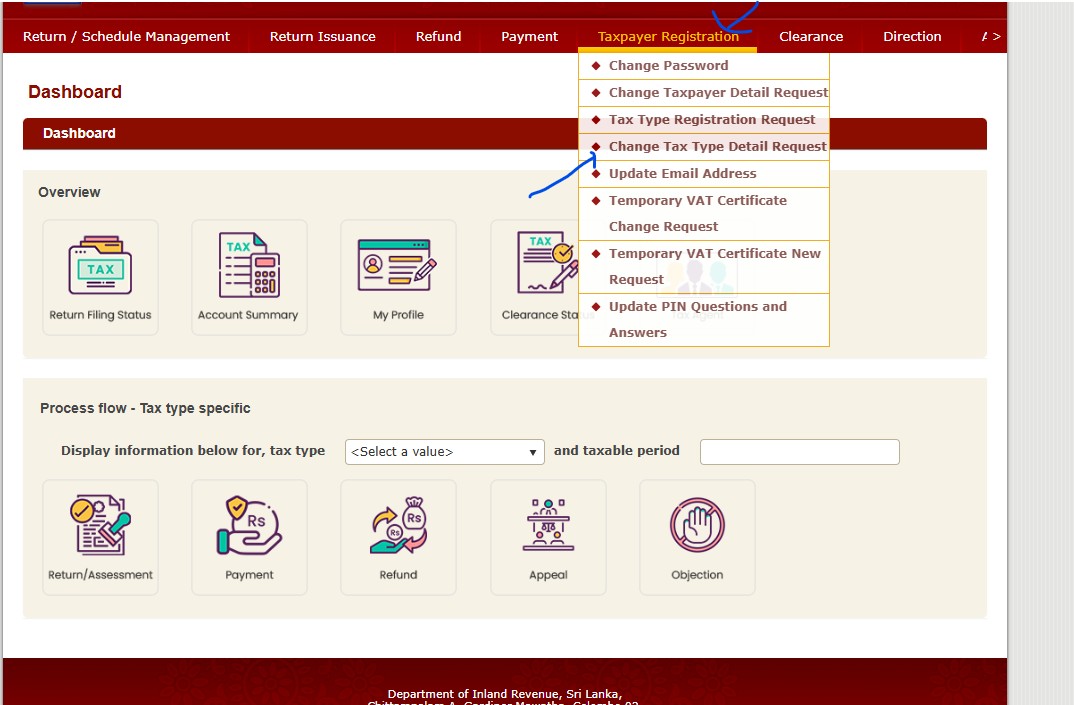
Step 05


Go to change tax type

Step 05


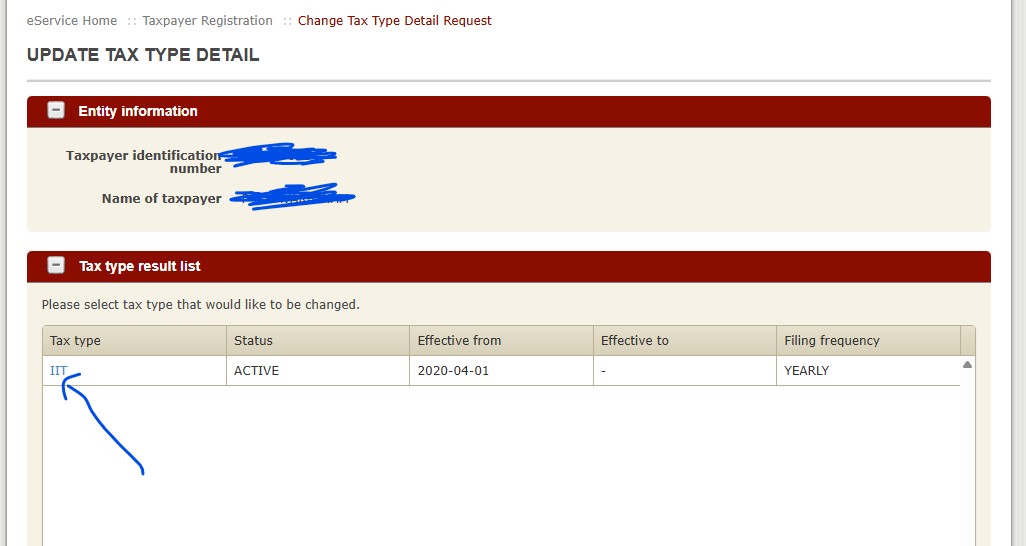
Step 06


Click on IIT

Step 06


Step 07


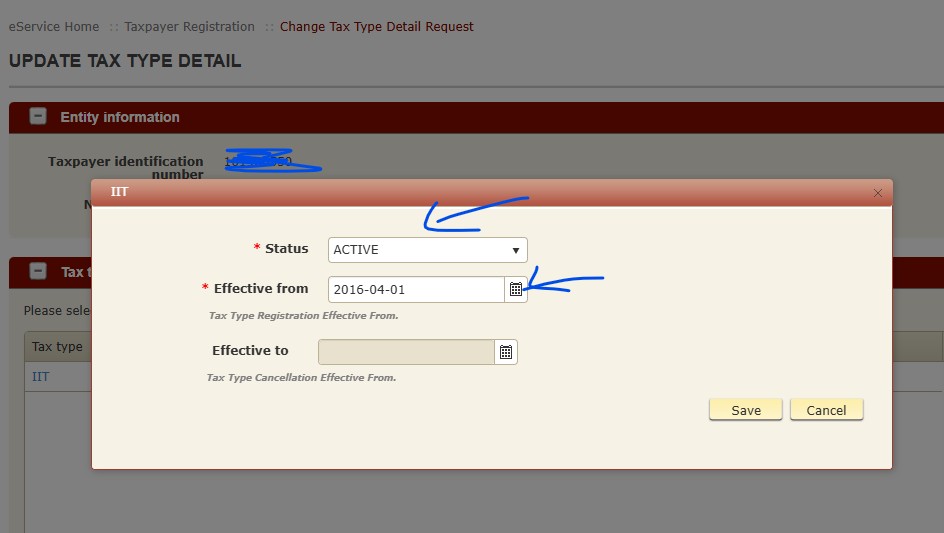
Select inactive and date then save

Step 07


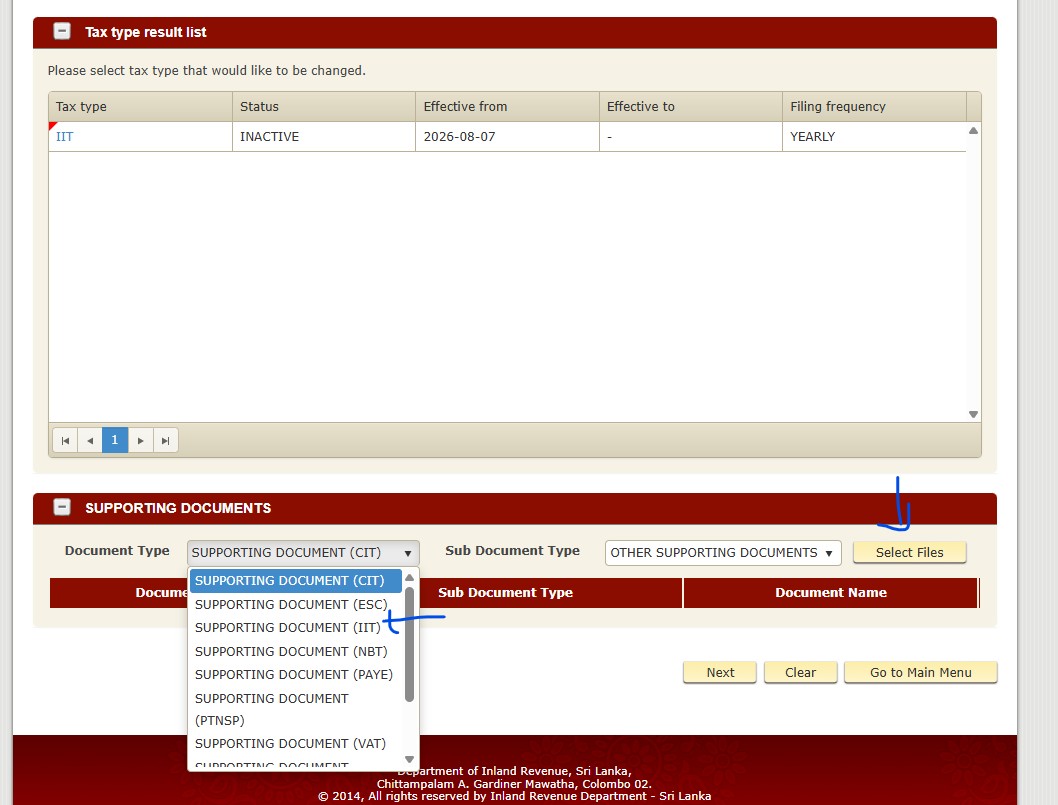
Step 08


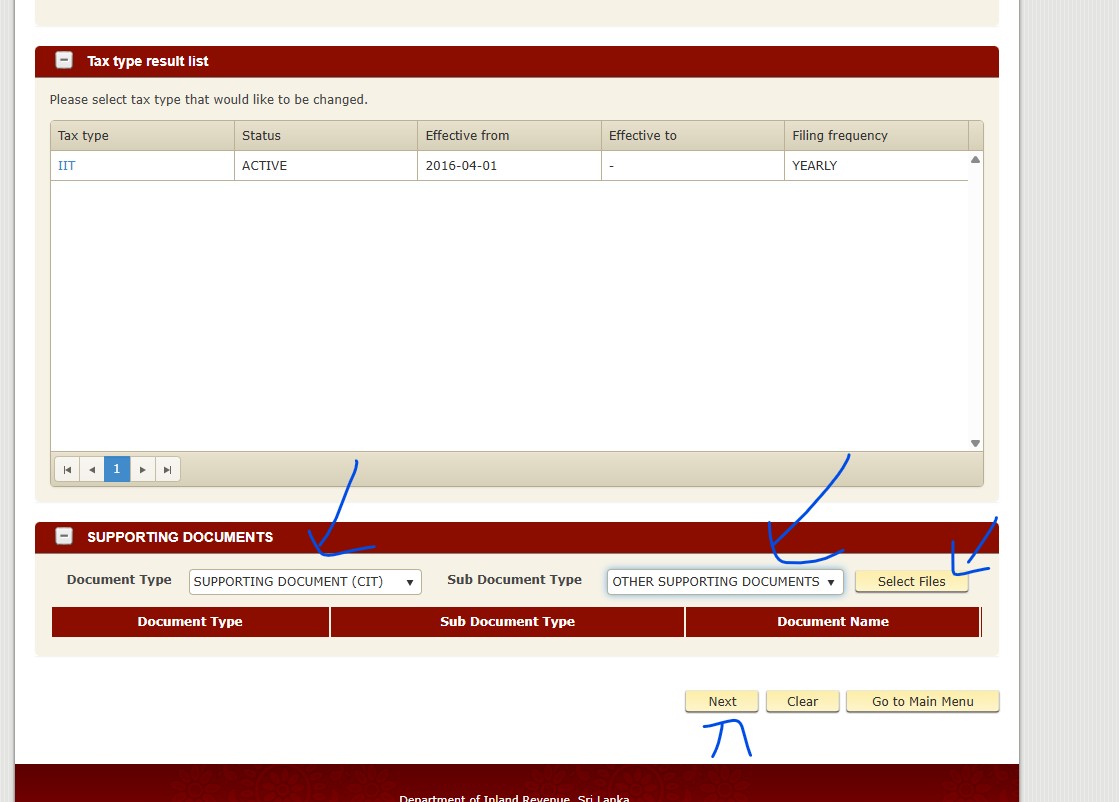
Scroll down and select Supporting document for IIT, then select your file that you need to upload


  • Request letter

  • Proof docs


Step 08


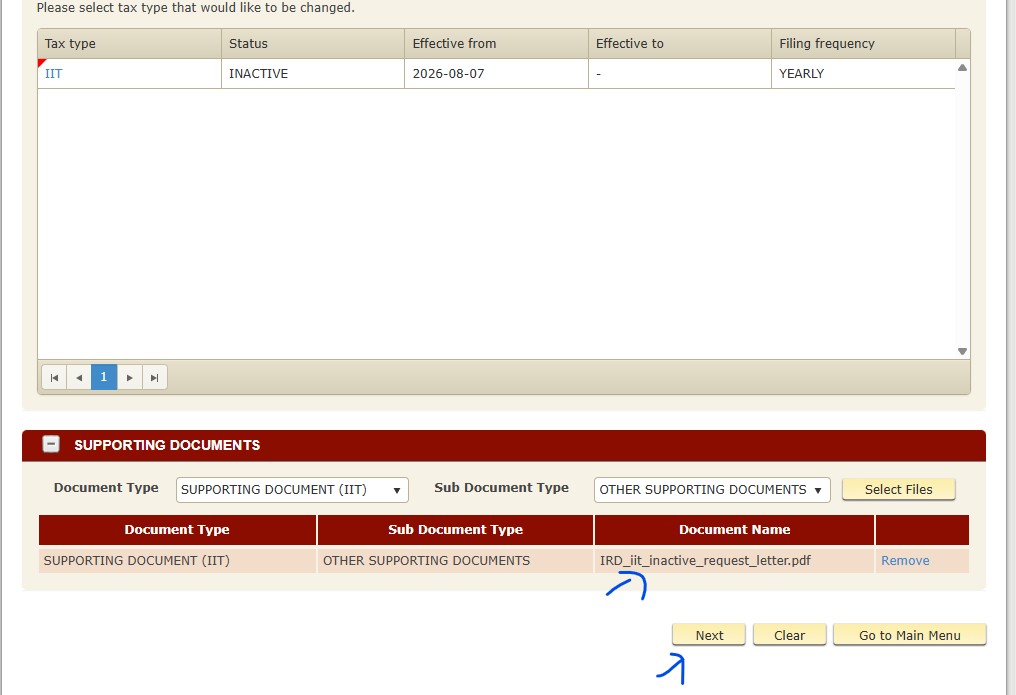
Step 09


You can see uploaded document list and click next

Step 09


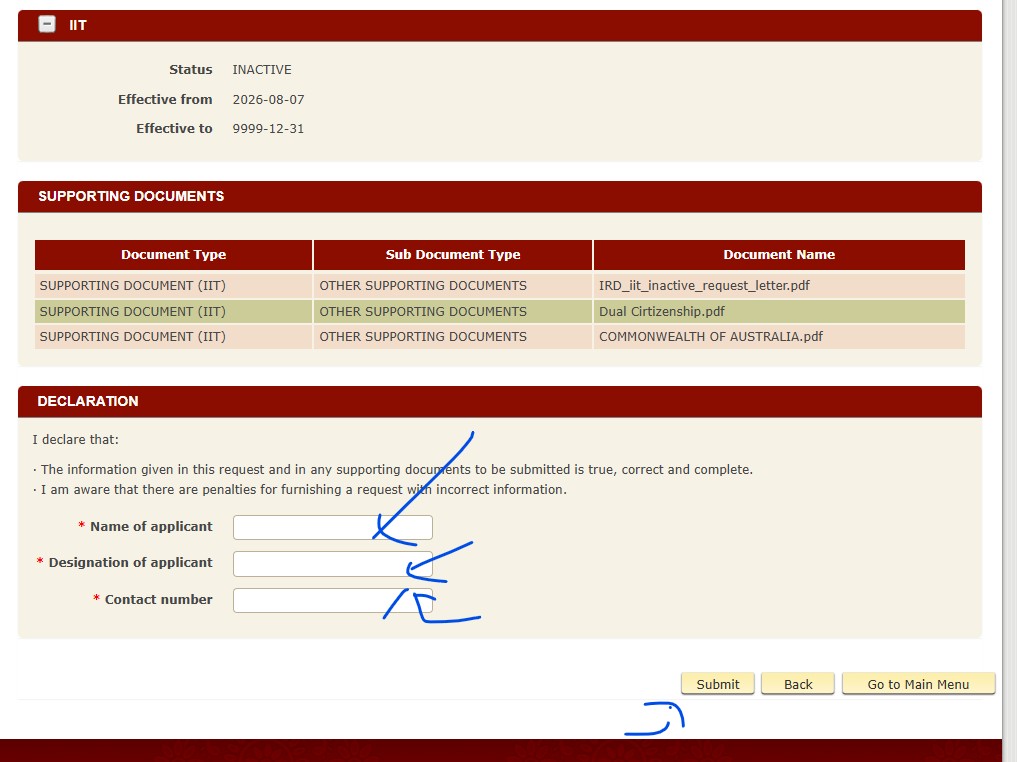
Step 10


Add your details as screenshot and then submit

Step 10
If you get following error, please change your effective date as per the error message.


Step 11


Step 11
If you still can't submit, remember to take a screenshot and provide them to IRD as proof of online IIT inactive request


Step 12


Step 12
Please save UPDATE TAX TYPE DETAIL ACKNOWLEDGEMENT as PDF as proof

Link to this reply

Commercial Bank csv export transaction

admin Asked on Jul 28, 2026 04:15

admin Jul 28, 2026 04:20

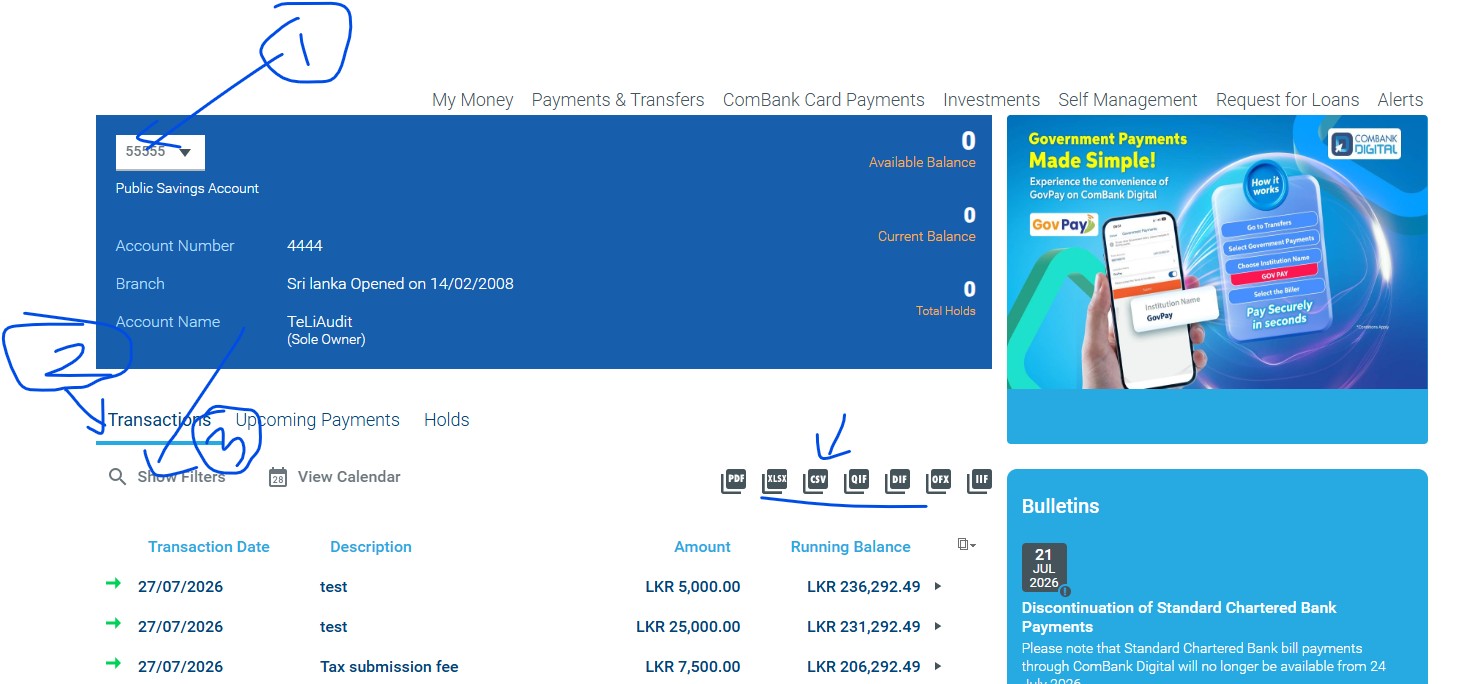
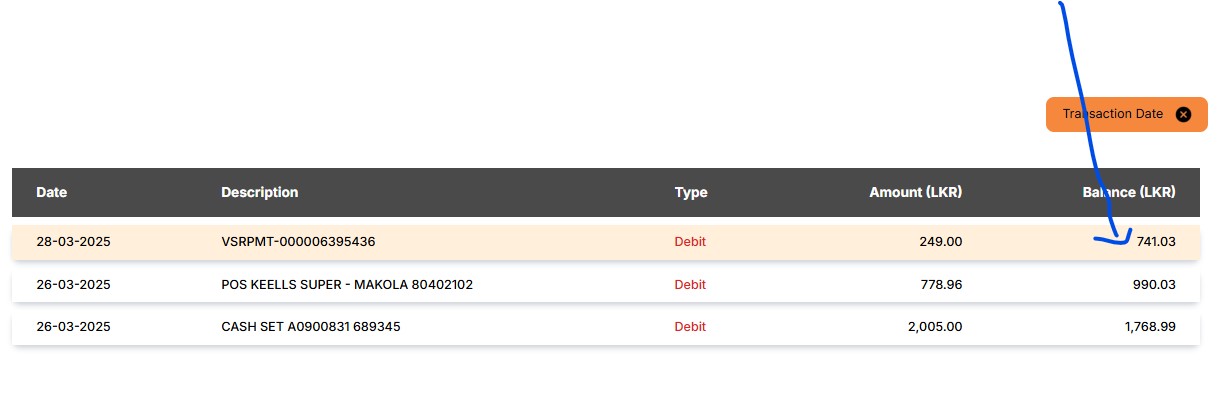
1. log to commercial bank

2. go to following screeshot 


3. select your account number as per the number 1
Then click on Show Filter as per the number 2


4.select your date range as blow and click Apply filter(number 3) then click CSV (number 4)


Link to this reply

How to activate my tax type IIT

admin Asked on Jul 13, 2026 13:23
IIT activate

admin Jul 13, 2026 13:25

follow the step below, And remmber to upload IIT activate request letter 
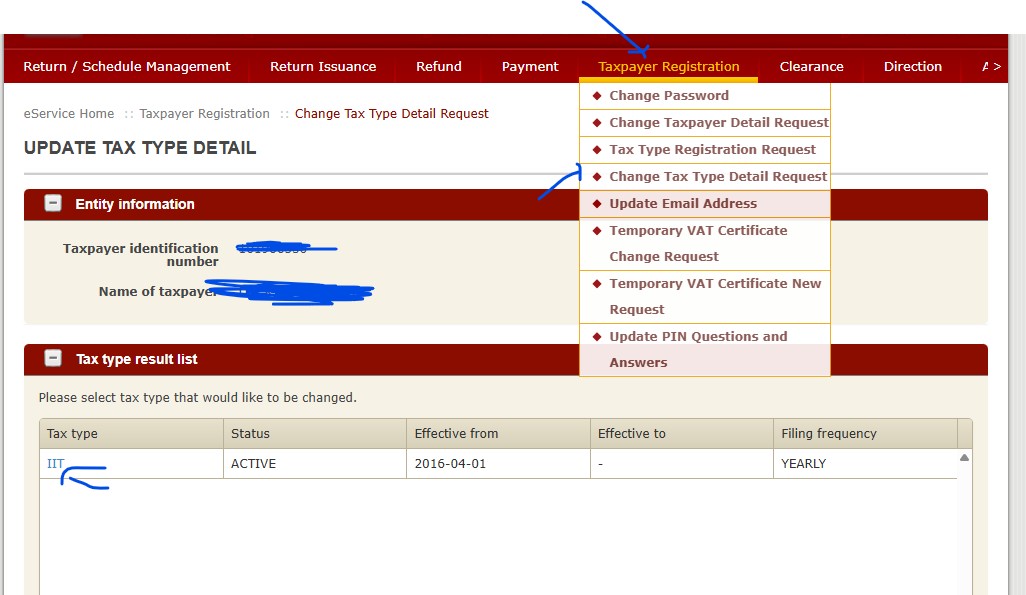

step 01 - log to IRD and go to followig page


step 02 - 

Link to this reply

admin Jul 13, 2026 13:25

Upload IIT activate request letter


Link to this reply

How can I check my balance at Sampath Bank as at 31st March?

admin Asked on Apr 25, 2026 12:17

admin Apr 25, 2026 12:24

1. log to Sampath Vishwa
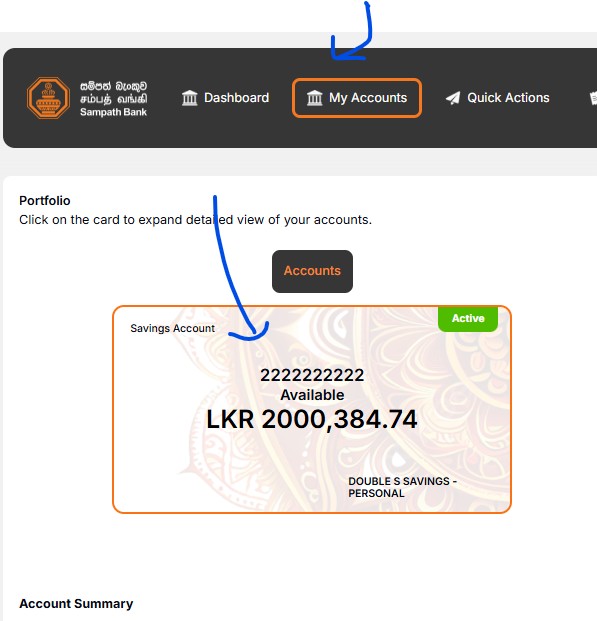
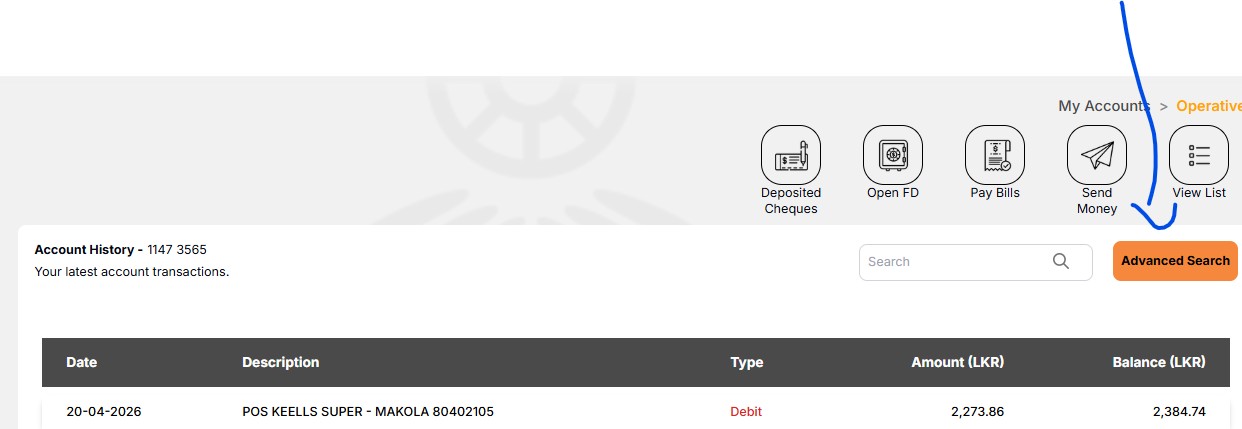
2. click as following screenshot


3. go to right side and see following screenshot


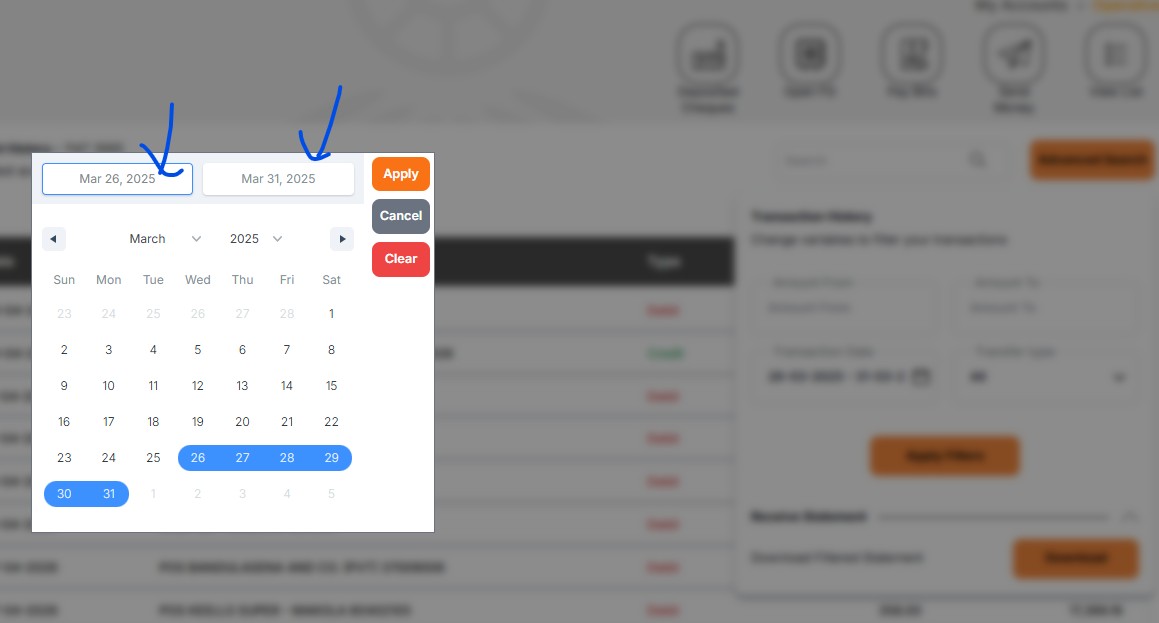
4. go to advance search and select date range as below screenshot


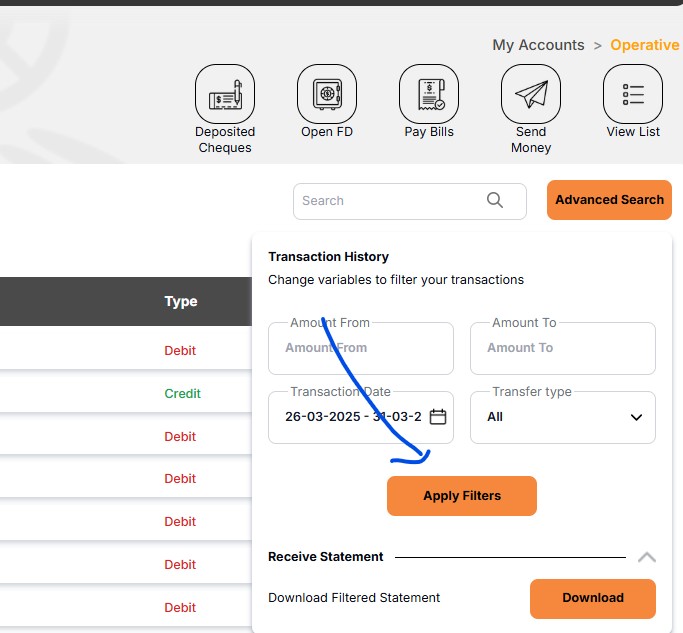
5. Apply filter


6. if the 31st march is not showing in the list, Then you can take nearest date as below screenshot

Link to this reply

How to complete the final submission from a draft (prepared by an agent)?

admin Asked on Apr 02, 2026 12:27

admin Apr 02, 2026 12:32

Follow the step
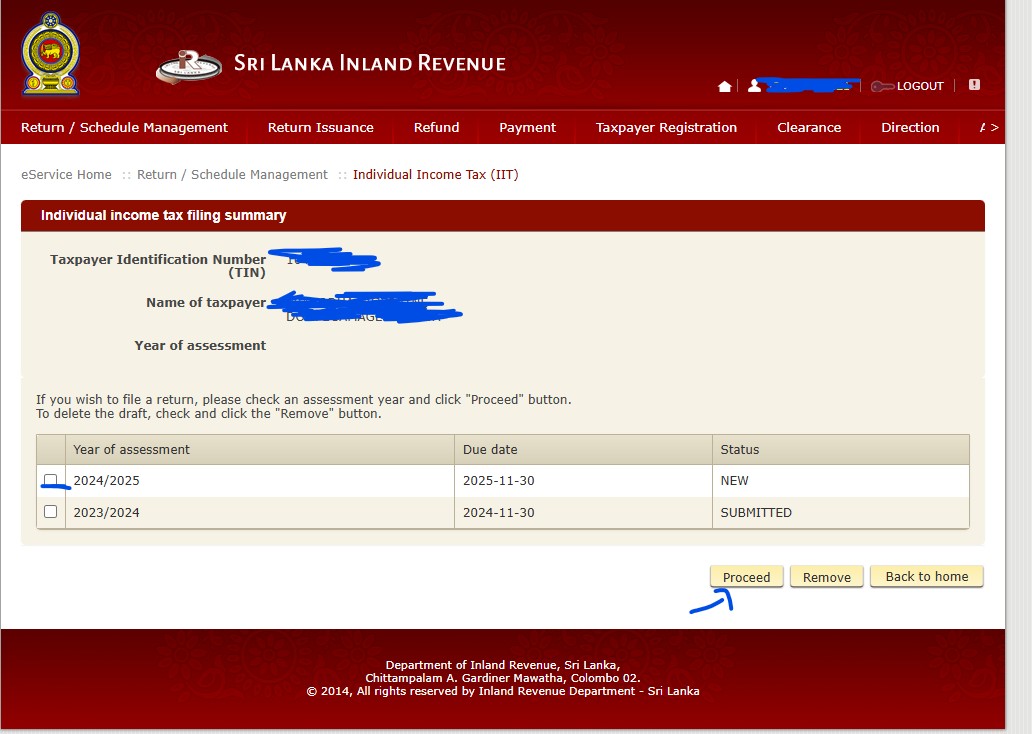

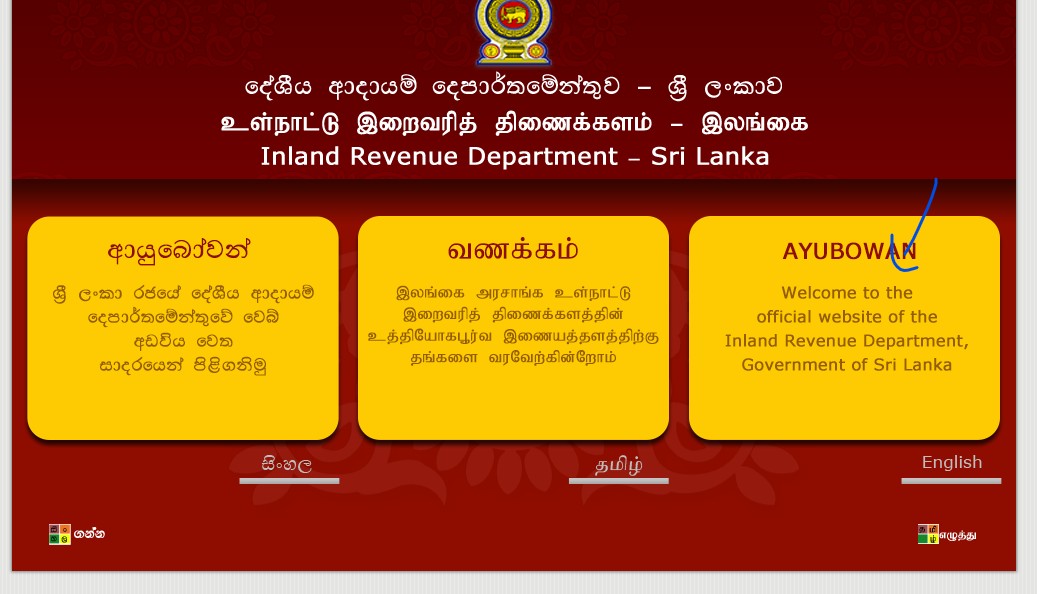
step 01 : log to IRD
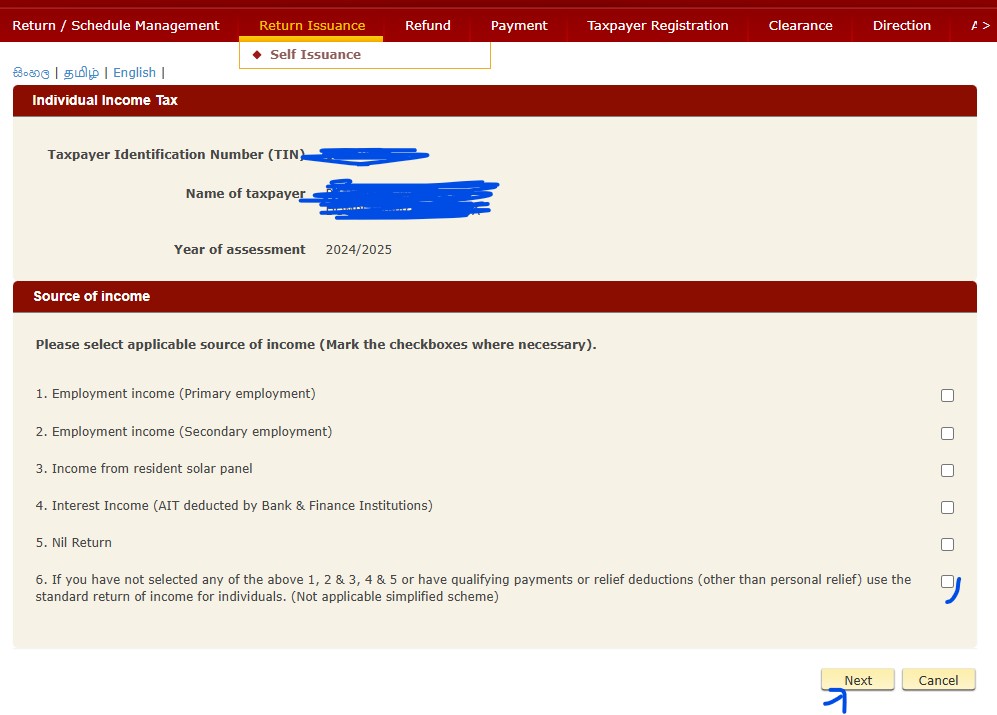
step 02 : follow the screenshot


step 03 : follow the screenshot (Only tick 6)


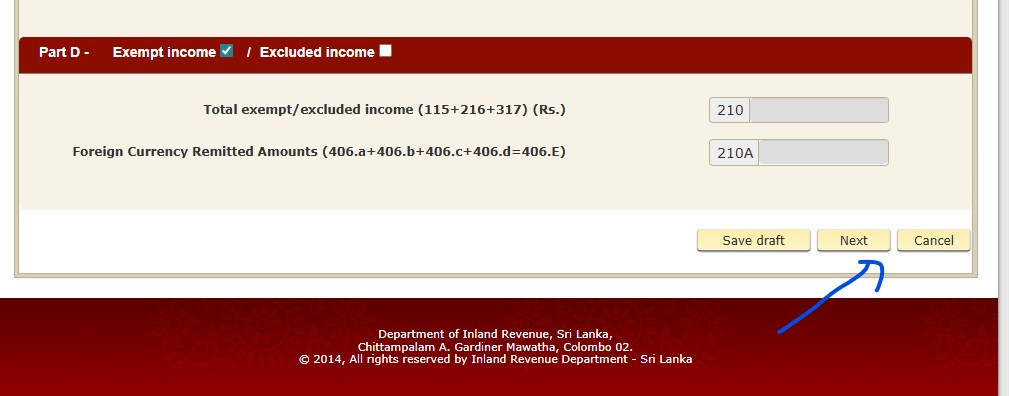
step 04 : follow the screenshot (go to bottom of the page after step 03 then click next)


step 05 : follow the screenshot (go to bottom of the page and click next page until found following button and save the print pdf)


step 06 : follow the screenshot  (Click submit button and save acknowledgement)

Link to this reply